
Start a new trip
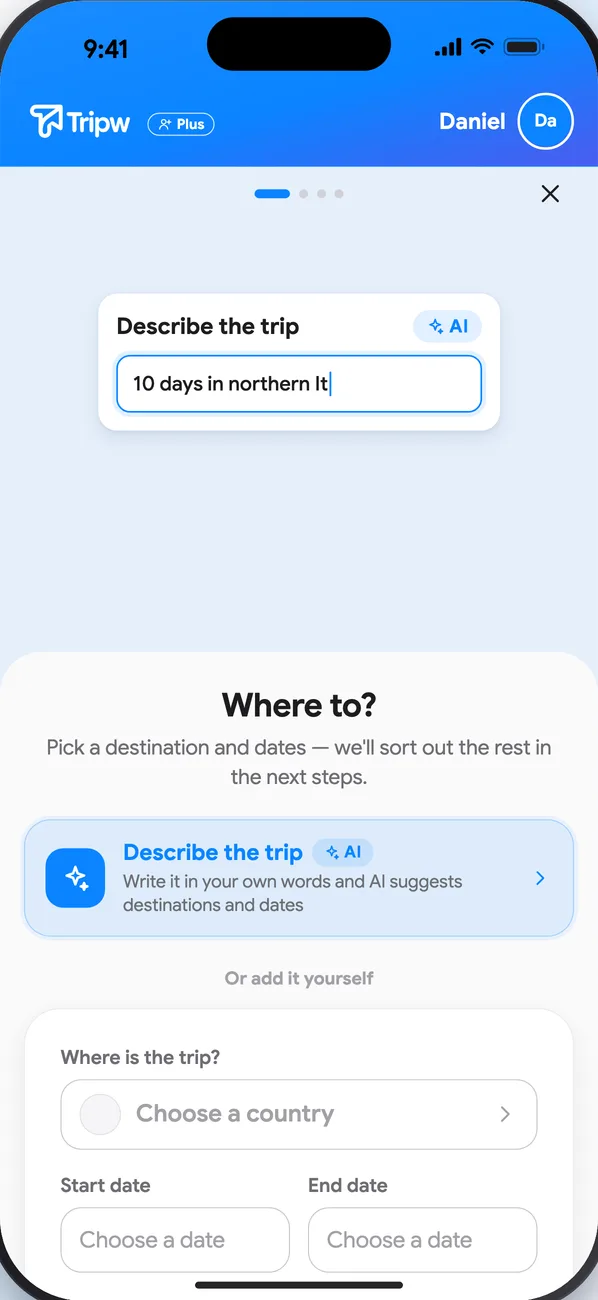
- On the My Trips screen, tap New Trip. Each step opens with a short clip that shows what to do.
- Destinations: pick a destination and dates. More than one country? Add another destination, each with its own dates. With Plus, tap Describe the trip and write it your way, e.g. “10 days in northern Italy in May, then 3 days in Switzerland”. AI suggests destinations and dates, and you can change everything before you continue.
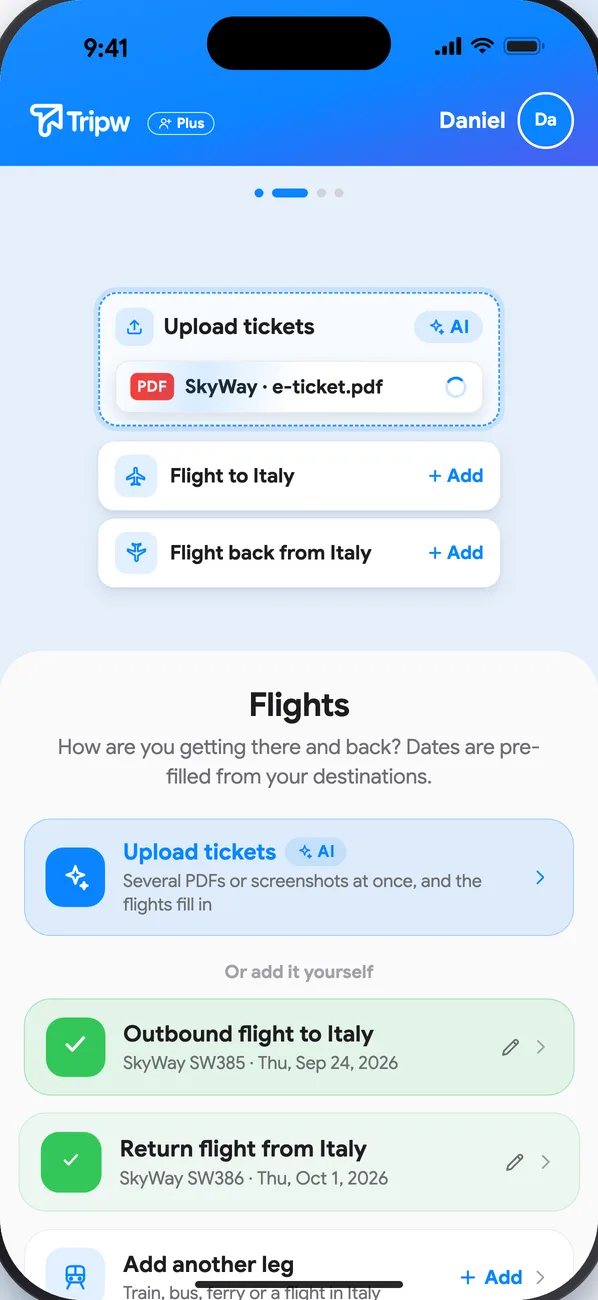
- Flights: add them by hand, or with Plus tap Upload tickets and pick several PDFs or screenshots at once. The flights fill in, and the files are saved to the trip's documents too.
- Hotels: the same, with Upload confirmations. Or skip and add them later.
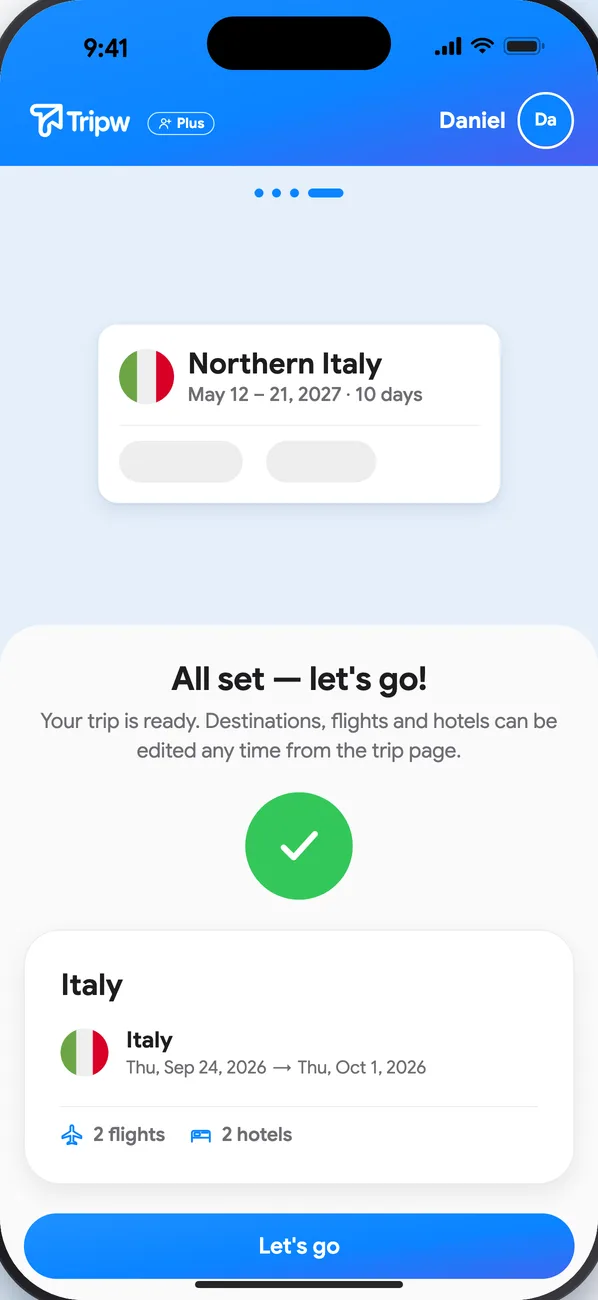
That's it — the trip is ready, with a day for every date.
Change it later
Open the trip and tap ⋯ → Edit trip details to rename it or change destinations and dates. Flights and hotels can be added any time from the trip.
Good to know
- On a free account the AI buttons show a lock; everything else works by hand.
- A free account has one active trip at a time and a limit on the trip's length and number of members. Archive a finished trip to start a new one, or upgrade to Plus for unlimited trips.
- Already invited to a friend's trip? You don't need to create one — see Invite friends.