
Day planner
A plan for every day — and another, no waiting
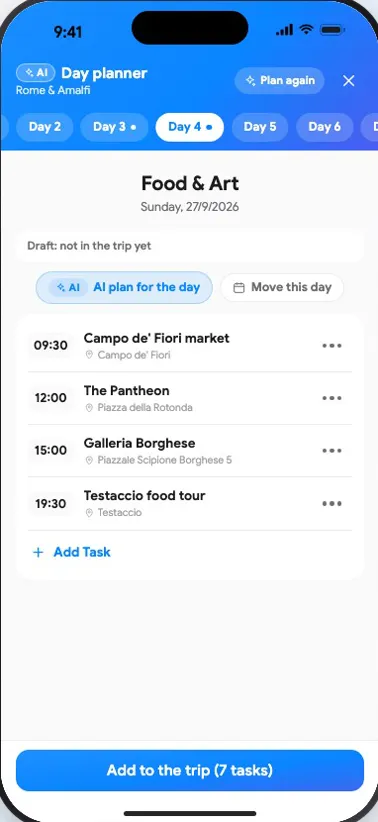
Plus AINewThe day planner has a tab for every day — swipe between them. AI builds a plan with times and places from the destinations, hotels and flights already in your trip, and every day page has an “AI plan” button. Not quite right? “A different plan” builds a new one from the alternatives AI already prepared, and “Reorder” sorts the day by distance from the hotel and opening hours — neither uses AI again.
How it works
- 1Open the day planner, or tap “AI plan” on a day's page
- 2Get a plan with times and places — “A different plan” brings an alternative right away
- 3Edit by hand: add, delete, move, change the time or send it to another day