
Save a pick
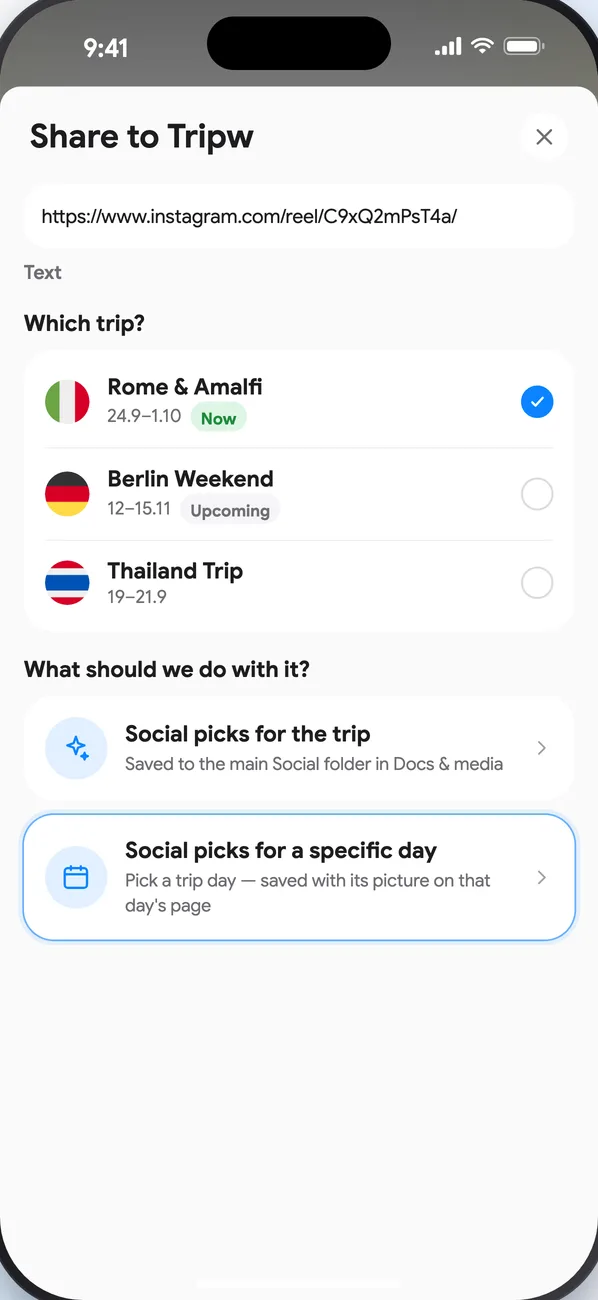
- In the app where you saw it, tap Share and pick Tripw.
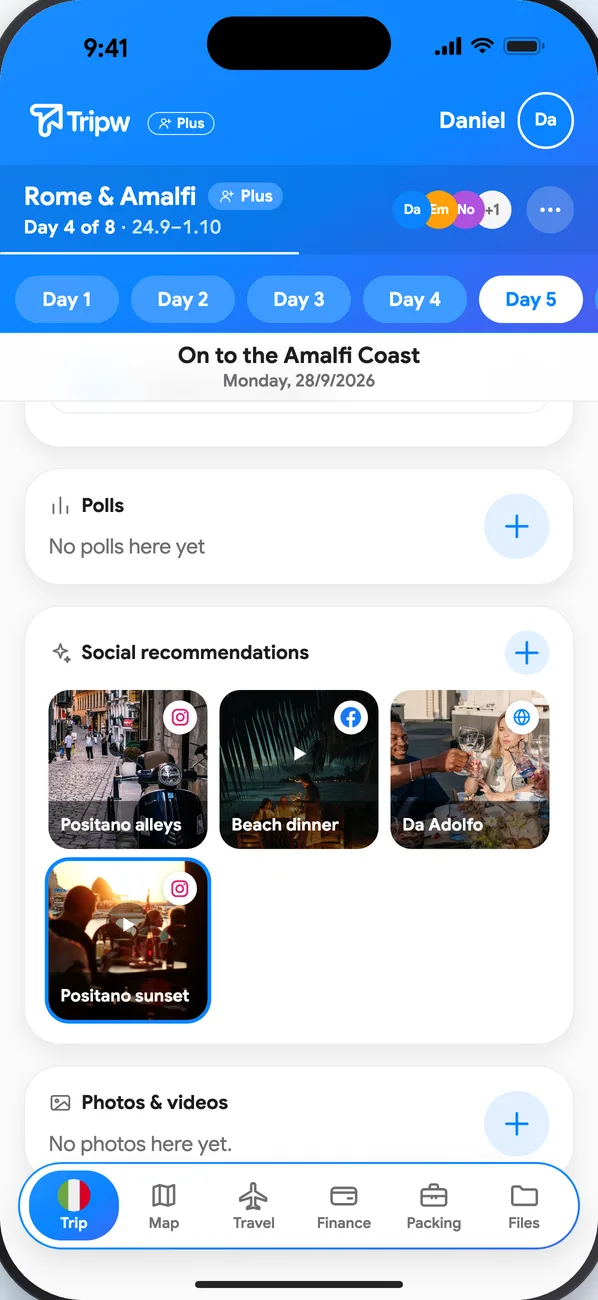
- Choose the trip, then Social picks for the trip (saved under Docs & media → Social) or Social picks for a specific day and pick the day.
- It shows up as a picture tile, and everyone on the trip can see it.
Tidy up later
In Docs & media → Social, tap a link to open it, or long-press it to put it on a day, move it to another day or delete it.