
Add an expense
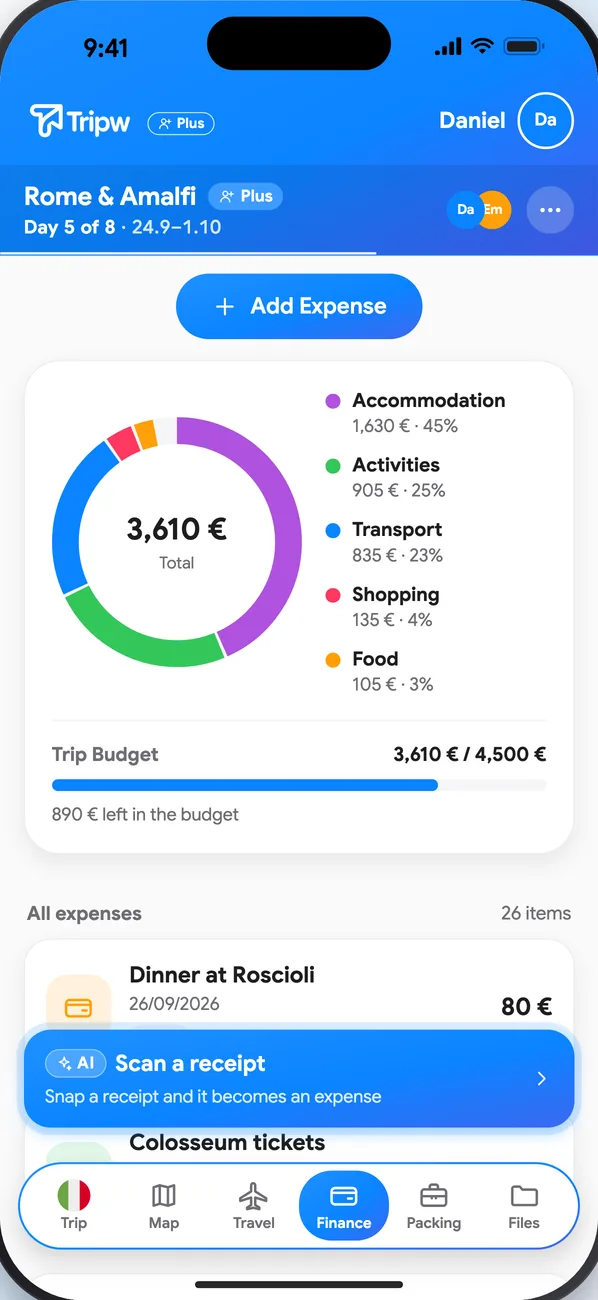
- In the trip, open Finance and tap Add Expense.
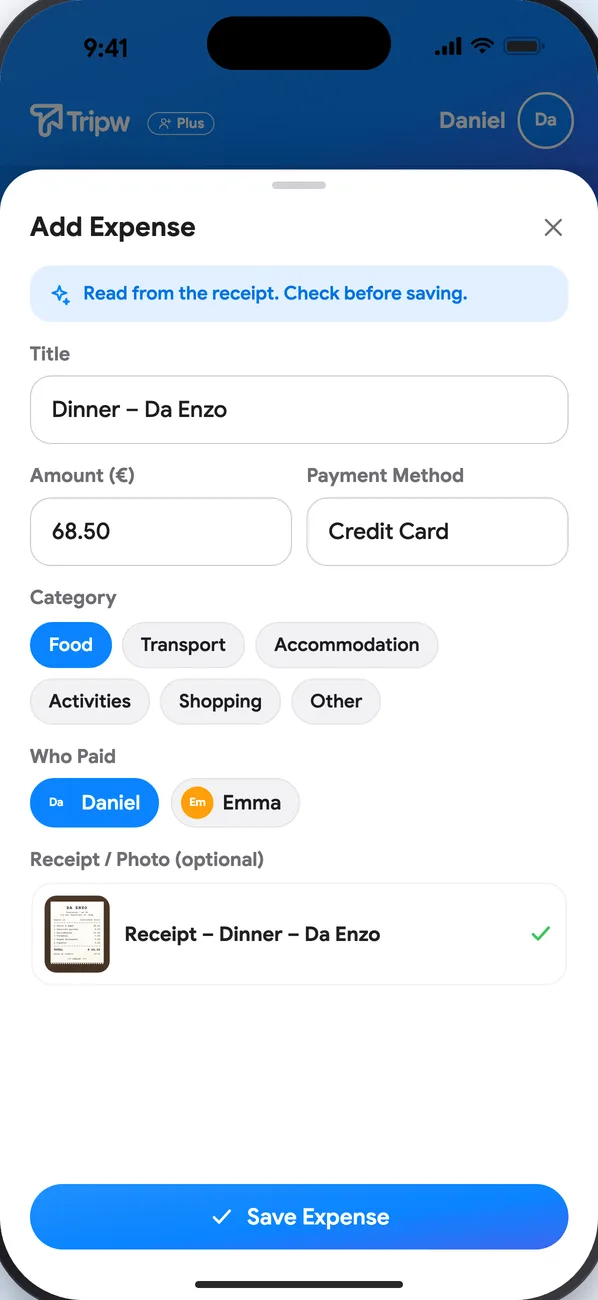
- Enter what it was, the amount and a category, who paid, and who shares it.
- Optionally attach a photo of the receipt.
With Plus you can also tap Scan a receipt: photograph the receipt, AI reads it, and the expense fills in by itself — check it and save.
Flights, hotels and tasks with a price are added to the list and the totals automatically. You can also set a trip budget and see the spending by category.
Currencies
Choose the currency prices are shown in under Profile → Currency.
Settle up
Balance Between Members shows who's owed and who owes. Settle up turns it into the fewest possible transfers. Pay any way you like — if a friend has added a PayPal.me or Revolut.me username to their profile, you get a direct link — then tap Mark as paid. Tripw never moves money itself.